What is access security: a complete guide for 2026

TL;DR:
- Access security controls who can access physical spaces, digital systems, and sensitive information.
- It relies on identification, authentication, and authorization processes to verify and grant access.
Access security is the practice of controlling who can access physical spaces, digital systems, and sensitive data. It relies on three core components: identification, authentication, and authorisation. These processes work together to restrict entry to resources via human, mechanical, or automated means, acting as a gatekeeper that verifies identities and permissions before granting access. Whether you are protecting a server room, a corporate network, or a hospital ward, the underlying principles are the same. Technologies such as biometric scanners, smart card readers, password policies, and the Zero Trust model all serve this single purpose: ensuring only the right people reach the right resources.
How does access security work?
Access security operates through a three-step process that every system, from a simple door lock to a cloud platform, follows in sequence.
-
Identification is the first step. The system asks: who are you? A user presents a credential, such as a username, an employee ID badge, or a fingerprint. This step does not yet verify the claim. It simply establishes who is attempting access.
-
Authentication confirms the identity. The system checks the presented credential against a stored record. Common methods include passwords, one-time codes sent by SMS, hardware tokens, and biometric scans such as facial recognition or fingerprint matching. Multi-factor authentication (MFA) combines two or more of these methods, making it significantly harder for an attacker to impersonate a legitimate user.
-
Authorisation defines what the authenticated user can actually do. A verified identity does not automatically grant full access. Role-based access control (RBAC), for example, assigns permissions based on job function. A payroll administrator can view salary records; a junior analyst cannot. This enforces the Principle of Least Privilege, which limits each user to only the access their role requires.
Think of it like entering a secure office building. You show your ID at reception (identification), swipe your access card at the turnstile (authentication), and then find that your card only opens the floors relevant to your department (authorisation). Each step adds a layer of protection.
Pro Tip: Design your authorisation policies around job roles, not individuals. When someone changes role or leaves the organisation, updating a single role profile is far faster and less error-prone than editing dozens of individual permission sets.
Physical vs digital access control: what is the difference?
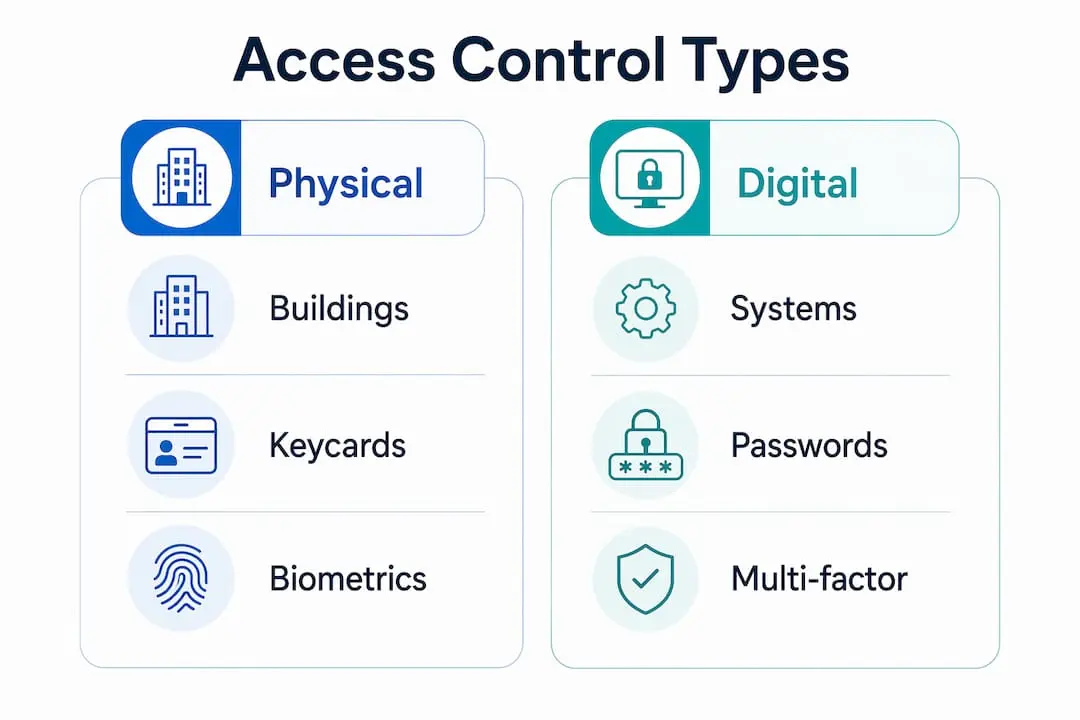
Access control splits into two broad domains: physical and digital. Both follow the same three-step logic, but the technologies and threats they address differ considerably.
Physical access control
Physical access control governs entry to buildings, rooms, and restricted zones. Common mechanisms include:
- Security guards who verify identity manually and use judgement to assess risk
- Electronic door locks operated by PIN codes, proximity cards, or biometric readers
- Turnstiles and barriers that prevent tailgating in high-security areas
- CCTV and alarm systems that monitor and record access events
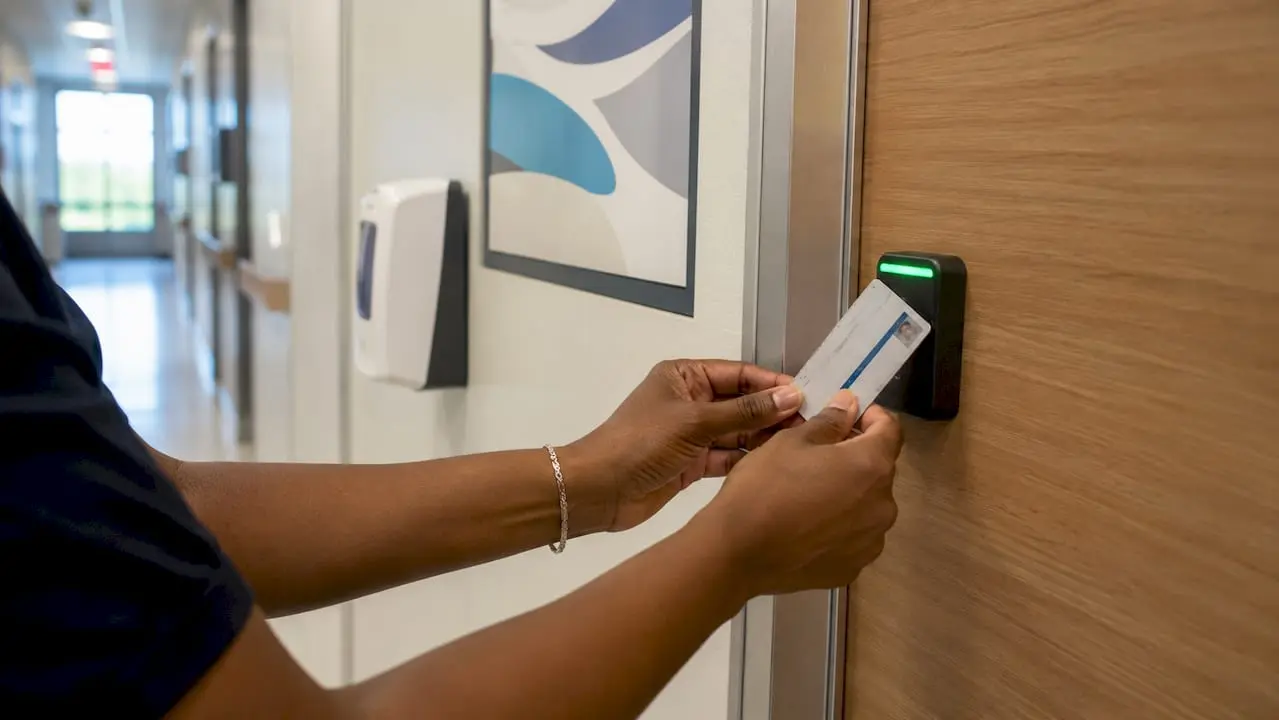
A hospital, for example, uses keycard access to restrict ward entry to clinical staff, while a data centre may require both a PIN and a fingerprint scan before anyone enters the server room. Physical access control is often the first line of defence, and a breach here can render digital controls irrelevant.
Digital access control
Digital access control protects networks, applications, databases, and cloud environments. Key methods include:
- Password policies that enforce complexity, length, and regular rotation
- Multi-factor authentication that adds a second verification layer beyond a password
- Access control lists (ACLs) that define which users or systems can read, write, or execute specific files
- Privileged access management (PAM) tools that monitor and restrict high-level administrator accounts
Access control policies should be documented and enforced at system, application, and service levels. This creates a consistent governance framework rather than a patchwork of individual decisions.
How physical and digital controls converge
The clearest trend in access security is convergence. Organisations increasingly manage physical and digital access through a single platform. A staff member’s departure, for instance, triggers both a network account deactivation and a card access revocation simultaneously. This unified approach, as explored in the physical security UK guide, reduces the risk of orphaned credentials and simplifies compliance audits.
| Aspect | Physical access control | Digital access control |
|---|---|---|
| Primary asset protected | Buildings, rooms, equipment | Networks, data, applications |
| Common technologies | Keycards, biometrics, guards | Passwords, MFA, ACLs, PAM |
| Main threat | Unauthorised physical entry | Credential theft, data breach |
| Audit method | CCTV logs, visitor records | System logs, access reports |
| Convergence benefit | Unified offboarding | Single governance policy |
What is Zero Trust and why does it matter?
Zero Trust is the backbone of modern access security, particularly as organisations adopt SaaS platforms, remote working, and hybrid cloud environments. The model operates on one principle: never trust, always verify.
Traditional perimeter-based security assumed that anyone already inside the network could be trusted. Zero Trust rejects that assumption entirely. Every access request, whether it comes from inside the office or from a home broadband connection, is treated as potentially hostile until verified. This continuous verification approach contrasts sharply with the old model of granting broad trust once a user passed the perimeter.
Zero Trust evaluates several contextual factors before granting access:
- Device posture: Is the device up to date with security patches? Is it managed by the organisation?
- User behaviour analytics: Does this login attempt match the user’s normal patterns? An account logging in from London and then Lagos within two hours raises an immediate flag.
- Location and network: Is the user connecting from a known, trusted network or an unfamiliar one?
- Time of access: Is this request happening at an unusual hour for this user’s role?
These factors feed into a dynamic risk score. Access is granted, limited, or denied based on that score in real time. This makes Zero Trust far more resilient than static permission models.
Pro Tip: Start your Zero Trust implementation with your most sensitive assets, not your entire network. Identify your crown jewels, such as financial records or customer data, and apply continuous verification there first. Expand outward once the model is proven in your environment.
How to implement effective access security policies
Strong access security does not happen by accident. It requires deliberate policy, regular maintenance, and cross-team collaboration. The steps below reflect what organisations that get this right actually do.
-
Define your access control policy in writing. Document who can access what, under which conditions, and who approves exceptions. Vague policies create gaps that attackers exploit.
-
Classify your assets. Not all data and spaces carry the same risk. A public-facing marketing folder does not need the same controls as a payroll database. Tiered classification lets you apply proportionate protection.
-
Apply the Principle of Least Privilege from day one. Grant new users the minimum access their role requires. Expanding access later is far safer than revoking it after a breach.
-
Conduct regular access reviews. Permission creep is the gradual accumulation of access rights that users no longer need. Automated quarterly reviews catch this before it becomes a liability.
-
Integrate physical and digital governance. Security and privacy teams should collaborate early to create policies that span both domains. Siloed approaches leave gaps between building access logs and network access records.
-
Automate where possible. Manual access management does not scale. Automated provisioning and deprovisioning tools reduce human error and speed up the response when someone leaves the organisation.
-
Train your staff. Technical controls fail when users share passwords, prop open secure doors, or click phishing links. Regular, practical training closes the human gap.
Access control is the primary defence against access mining, a tactic where attackers exploit accumulated privileges to locate and exfiltrate valuable data. Organisations of all sizes are targets. A well-maintained access policy is not a luxury; it is a baseline requirement.
For a practical look at how these responsibilities translate into day-to-day work, the guide on access control guard duties covers the operational side in detail.
Key takeaways
Access security works because it enforces identification, authentication, and authorisation at every access point, limiting exposure through the Principle of Least Privilege and continuous verification.
| Point | Details |
|---|---|
| Three-step process | Every access system relies on identification, authentication, and authorisation in sequence. |
| Physical and digital convergence | Managing both domains through a single policy reduces orphaned credentials and audit complexity. |
| Zero Trust model | Continuous verification of every request replaces outdated perimeter-based trust assumptions. |
| Permission creep risk | Regular automated access reviews prevent users accumulating rights they no longer need. |
| Unified governance | Security and privacy teams must collaborate to create policies that span physical and digital access. |
The trade-off nobody talks about honestly
Access security done badly does not just fail to protect you. It actively damages productivity and pushes users toward workarounds that create new risks. I have seen organisations deploy MFA so aggressively that staff started sharing session tokens to avoid repeated logins. The security team thought they were winning. They were not.
Balancing asset protection with the need for employees to actually do their work is the hardest part of this discipline. The sweet spot is not a fixed setting. It shifts as your workforce changes, as new tools are adopted, and as threat patterns evolve. The organisations that get this right treat access security as an ongoing conversation between security, IT, HR, and operations, not a one-time configuration exercise.
The other pitfall I see repeatedly is the silo problem. Physical security teams manage building access. IT manages network access. Neither team talks to the other. When an employee is dismissed, HR notifies IT, the network account is disabled, but the building access card remains active for weeks. That is not a theoretical risk. It is a common one.
Unified governance, where a single policy framework covers both physical and digital access, is the answer. It is also harder to achieve than it sounds, because it requires genuine collaboration across teams that have historically operated independently. Start with a shared offboarding checklist. It is unglamorous, but it closes one of the most common gaps immediately.
The access control security guide for UK workplaces covers how British organisations are approaching this convergence in practice.
— Rob
Explore security careers in access control

Access security is one of the fastest-growing specialisms in the UK security sector. Roles range from access control officers managing physical entry systems to cybersecurity analysts overseeing digital identity platforms. If you are looking to build or advance a career in this field, Securityjobsboard connects you directly with employers who need these skills. The platform is BSIA-affiliated, free for jobseekers, and built specifically for the UK security industry. Browse current security jobs in Northern Ireland or search the full listings at Securityjobsboard to find roles that match your experience and location.
FAQ
What is access security in simple terms?
Access security is the set of controls that determine who can enter a physical space or use a digital system. It combines identification, authentication, and authorisation to prevent unauthorised access.
What is the difference between physical and digital access control?
Physical access control protects buildings and rooms using keycards, biometrics, and guards. Digital access control protects networks and data using passwords, MFA, and access control lists. Modern organisations manage both through a unified policy.
What is the Zero Trust model in access security?
Zero Trust is a security framework that requires continuous verification of every access request, regardless of where it originates. It replaces the older assumption that users inside a network can be trusted automatically.
What is permission creep and why does it matter?
Permission creep occurs when users gradually accumulate access rights beyond what their role requires. It increases the risk of insider threats and data breaches, and is best addressed through regular automated access reviews.
What qualifications do I need for an access control security role in the UK?
Most access control officer roles in the UK require a valid SIA licence. Higher-level roles in cybersecurity or access management may require certifications such as CISSP, CompTIA Security+, or vendor-specific credentials from providers like Microsoft or Cisco.


