Set UK security alerts on Security Jobs Board. BSIA vetted, GDPR safe

You create a job alert by registering a free account at Securityjobsboard, running a search for the security role you want, and saving it with your chosen filters. Alerts arrive by email as the primary channel, with frequency and filters fully adjustable from your dashboard. The full walkthrough, including verification and testing, follows below.
TL;DR:
- Using precise keywords like SIA license or CCTV and setting appropriate filters help ensure alerts are relevant and manageable.
- Broaden filters if no emails arrive or no matching listings appear, and narrow them to reduce irrelevant results.
- Verify email addresses and check spam folders, as unverified accounts or missed verification cause alerts not to arrive.
- Creating multiple alerts for different role types and adjusting notification frequency optimizes job search efficiency.
- Contact support if alerts behave unexpectedly after checking basic troubleshooting steps.
Table of Contents
- How do I create and activate a job alert on Security Jobs Board?
- How do you stop job alerts from filling your inbox with junk?
- What if your job alerts aren’t arriving or match poorly?
- What mistakes do jobseekers actually make with alerts?
- Ready to set up your own security job alerts?
- Sources
- FAQ
How do I create and activate a job alert on Security Jobs Board?
Setting up your first alert takes about five minutes, most of which is spent picking the right filters rather than fighting with the interface. Here’s the process from a blank browser tab to a working alert.
- Register or sign in at Security Jobs Board. You’ll need an email address and a password; adding a CV at this stage is optional but worth doing, since some employers browse profiles directly rather than waiting for applications.
- Run a search for the role you want. Type in something specific, “SIA door supervisor” rather than just “security”, and let the results populate before you touch any filters.
- Apply your filters. Narrow by location (town, city, or a mile radius), contract type (permanent, temporary, part-time), and experience level. This is the step most people rush, and it’s the one that decides whether your inbox becomes useful or annoying.
- Save the search as an alert. You’ll be prompted to name it, choose a frequency (instant, daily, or weekly), and pick your notification channel, email is the default and most reliable option, with site notifications running alongside it.
- Confirm your email address. Security Jobs Board, like most GDPR-aware platforms, sends a verification link before alerts start flowing. Skip this step and your alert sits dormant, even though it looks active in the dashboard.
- Check your dashboard. The new alert should appear under “My Alerts” with its filters listed. If it’s not there, the save didn’t complete, go back to step four.
- Test it. Widen one filter temporarily (drop the mile radius or remove a keyword) to see if a matching listing appears within a few minutes, or simply wait for the next scheduled digest to land.
The Security Jobs Board platform lets candidates build a profile, upload a CV, set alerts, and apply for roles entirely free of charge, so there’s no reason to run just one alert if your job search spans more than one role type.
Pro Tip: Save two versions of the same search, one instant and one weekly, if you’re open to both urgent shift cover and permanent supervisory roles. That way you’re not choosing between speed and volume.
How do you stop job alerts from filling your inbox with junk?
A badly configured alert is worse than no alert at all. It trains you to ignore your own notifications, which defeats the entire point of setting one up.
The fix starts with keyword precision. Terms like SIA licence, CCTV, steward, or guard are specific enough to pull relevant listings without drowning you in results for warehouse operatives or retail assistants that happen to mention “security” in passing.
- Use the job-level and contract-type filters to exclude what you don’t want, temporary cover or unpaid volunteer listings, if you’re after permanent, paid work.
- Run separate alerts for different role families. Front-of-house door supervision, technical CCTV or alarm monitoring, and supervisory or management positions rarely overlap enough to sit comfortably in one search.
- Match frequency to urgency. Instant alerts suit anyone chasing time-sensitive shift work; a daily or weekly digest suits someone weighing up a career move without needing to check their phone every hour.
- Whitelist the sender address so alert emails don’t drift into a spam or promotions folder, particularly on Gmail and Outlook, where automated filters are aggressive by default.
Security Jobs Board’s own guidance on creating effective job alerts covers filter combinations in more depth if you want to fine-tune beyond the basics above.
Pro Tip: If you’re getting five emails a day and ignoring most of them, that’s not a sign you need more alerts, it’s a sign your existing one needs tighter keywords.
What if your job alerts aren’t arriving or match poorly?
Most alert problems trace back to one of four causes, and each has a quick fix.
- No emails arriving at all. Check spam and promotions folders first. If nothing’s there, confirm you completed the email verification step, unverified accounts don’t receive alerts even when the dashboard shows the alert as “active”.
- No results, ever. Your filters are too tight. Broaden the keyword list, widen or remove the location radius, and double check the sector filter is set to security rather than a related category.
- Too many irrelevant results. Add exclusion keywords (for example, ruling out “retail” or “warehouse”) and tighten contract-type or experience-level filters until the noise drops.
- Managing existing alerts. Every alert can be edited, paused, or deleted from the “My Alerts” section of your dashboard, no need to create a new one from scratch just to adjust a filter.
On privacy, Security Jobs Board uses your email address solely to deliver the alerts and account notifications you’ve opted into, in line with GDPR. You can request removal of your data or account closure at any time through account settings or by contacting support directly.
What mistakes do jobseekers actually make with alerts?
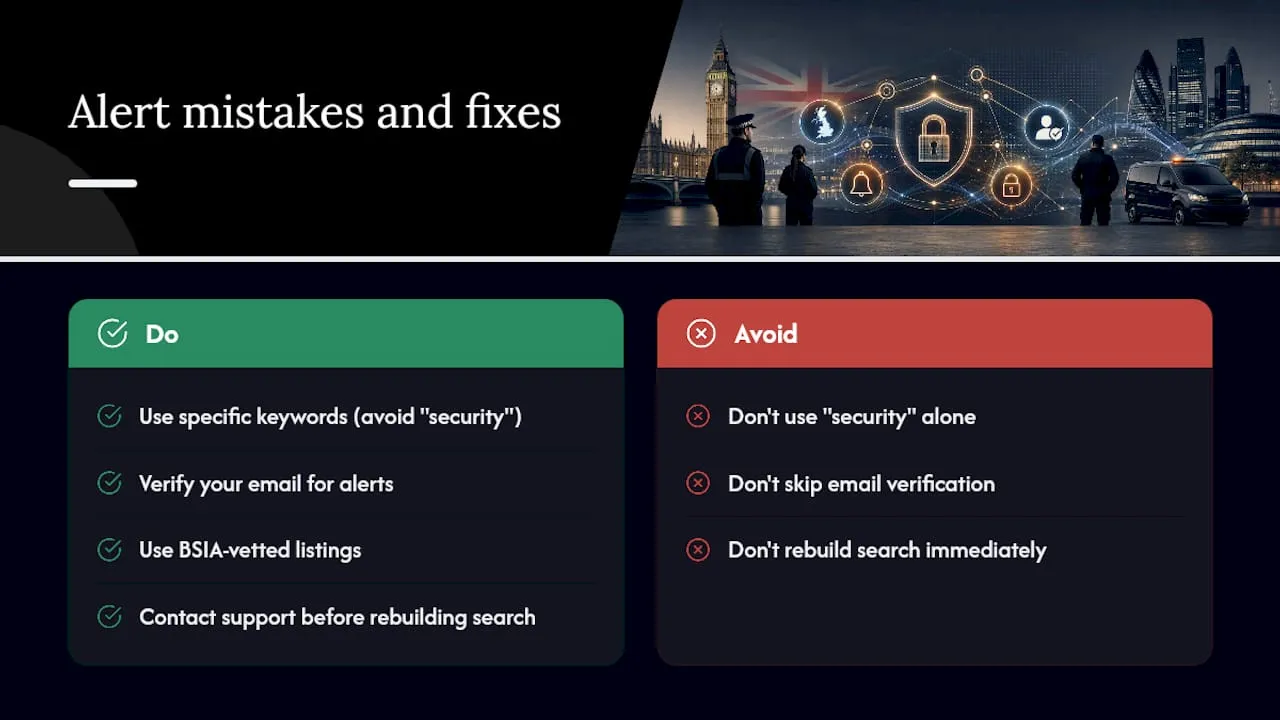
The two mistakes Rob sees most often are keywords set too broad, “security” on its own returns everything from nightclub door staff to corporate fraud analysts, and skipping the email verification step, then wondering a week later why nothing has arrived.
BSIA affiliation matters here more than people realise. It’s not just a badge; it means listings on Security Jobs Board are drawn from vetted, trusted employers rather than scraped from anywhere online, which cuts down on the low-quality postings that plague less specialised boards. If an alert behaves oddly after you’ve checked the basics, contact support rather than rebuilding the search from scratch. It’s usually a two-minute fix on their end.
— Rob
Ready to set up your own security job alerts?
Security Jobs Board is built specifically for the UK security sector, which means every filter, from SIA licence type to shift pattern, actually reflects how security recruitment works, unlike generic job boards where you’re wading through irrelevant listings to find the handful that matter.

Candidates use it free of charge: build a profile, upload a CV, set alerts, and apply for roles without ever hitting a paywall. The platform is powered by the BSIA, which adds a layer of trust most niche boards can’t claim, and it runs GDPR-compliant with real human support if something goes wrong with your account or alerts. If you’re specifically after roles in Northern Ireland, the dedicated regional listings page is worth bookmarking alongside your main alert. Head to Security Jobs Board now, register, and have your first alert live within minutes.
FAQ
Is Security Jobs Board free for jobseekers?
Yes, candidates can create a profile, upload a CV, set job alerts, and apply for vacancies entirely free of charge.
How quickly will I receive an alert after saving a search?
That depends on the frequency you choose, instant alerts notify you as matching listings go live, while daily or weekly digests batch results into one email.
Why haven’t I received any alert emails yet?
Check your spam folder first, then confirm you’ve completed the email verification step, unverified accounts won’t receive notifications even if the alert shows as active in your dashboard.
Can I run more than one job alert at a time?
Yes, and it’s worth doing if you’re targeting different role types, such as separate alerts for door supervision, CCTV monitoring, and supervisory positions.
Does Security Jobs Board sell or share my email address?
No, your email is used only to deliver the alerts and notifications you’ve opted into, handled in line with GDPR, and you can request data removal at any time.


