Creating effective job alerts for UK security jobs

TL;DR:
- Creating precise job alerts aligned with your security sector targets and license status helps you stay ahead of quickly filling vacancies.
- Regularly refining and managing these alerts across platforms like LinkedIn, Google Jobs, and Greenhouse ensures relevant notifications, reducing noise and increasing opportunity chances.
Job alerts are automated notifications that deliver new job listings matching your chosen keywords, location, and role criteria directly to your inbox. For security professionals in the UK, creating effective job alerts is not simply a convenience. It is a structured method for staying ahead of vacancies in a sector where roles fill quickly and eligibility requirements shift with your Security Industry Authority (SIA) licence status. Platforms such as LinkedIn, Google Jobs, and Greenhouse all offer alert features, but the difference between a useful alert and a cluttered inbox lies entirely in how you configure and maintain them.
What do you need before creating effective job alerts?
Before you set up a single alert, you need a clear picture of what you are actually looking for. Vague criteria produce vague results, and in the security sector, that means receiving notifications for roles you cannot legally take on yet.
Here is what to have ready before you begin:
- Your target job titles. Write down the specific roles you want: Door Supervisor, CCTV Operator, Close Protection Officer, Security Officer. Each title should become its own keyword string.
- Your SIA licence status. The SIA licence fee reverted to £204 in April 2026, and most advertised security roles require an active licence. Knowing whether your licence is current, pending, or not yet obtained determines which alerts are immediately useful and which are forward-planning tools.
- Your preferred locations. UK security roles are often site-specific. Narrow your geography to regions where you can realistically commute or relocate.
- A dedicated email address. Using a separate inbox for job alerts prevents important notifications from being buried alongside general correspondence.
- Platform access. You will need active accounts on the platforms you intend to use. LinkedIn, Google Jobs, and Greenhouse each handle alerts differently, so understanding their individual logic before you start saves time later.
Understanding your SIA licence eligibility before configuring filters is the single most important preparatory step. It determines the entire scope of roles you should be targeting right now versus roles you should be monitoring for the future.
How to set up job alerts step by step on key platforms
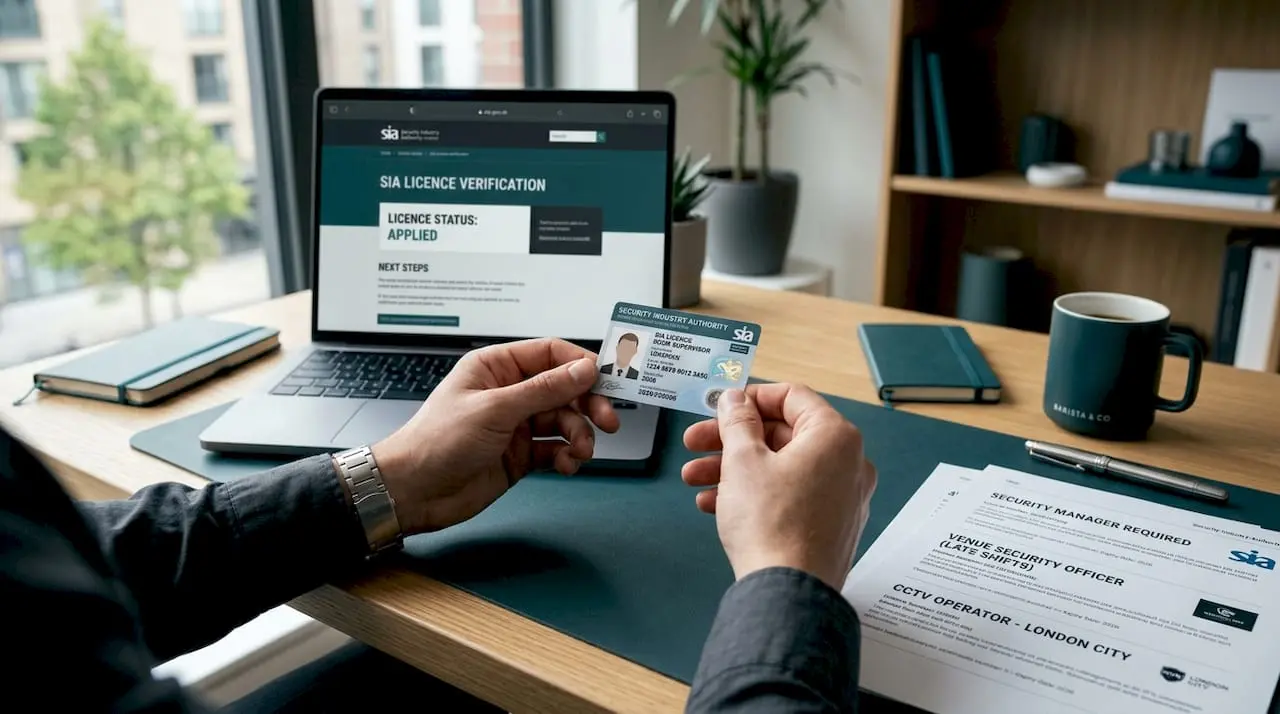
Each platform has its own alert logic. What works on LinkedIn will not necessarily translate to Google Jobs, and Greenhouse operates on a batching model that surprises many first-time users.
Setting up alerts on LinkedIn
- Run a job search using your target title and location.
- Toggle on the “Job alert” switch at the top of the results page.
- Select your delivery frequency: daily or weekly. For active job seekers, daily is the better choice.
- Optimise your LinkedIn profile with security-specific keywords. LinkedIn’s algorithm uses your profile data to refine what it surfaces, so a profile that lists “SIA Door Supervisor” and “CCTV surveillance” will generate more relevant matches than a generic one.
- Create separate alerts for each role family rather than combining titles into one search. One alert for “Door Supervisor London” and another for “Security Officer Manchester” will outperform a single broad alert every time.
Setting up alerts on Google Jobs
Google Jobs pulls listings from hundreds of sources simultaneously, which makes it powerful but also prone to duplication. Job alerts allow you to enter specific keywords and a location, with daily or weekly delivery options.
- Search your target role on Google (e.g., “CCTV Operator jobs Birmingham”).
- Click the “Get email alerts” option within the Jobs panel.
- Start with broader keywords, then refine over the following two weeks by marking irrelevant results as “Not interested.” This iterative process improves alert relevance by 20 to 30% over time. That improvement is not trivial. It is the difference between scanning 40 irrelevant listings and receiving 10 that genuinely match your profile.
- Google Alerts supports up to 1,000 alerts per user with “As-it-happens”, daily, or weekly delivery. Use this capacity to monitor different role families and licence categories separately.
Setting up alerts on Greenhouse (MyGreenhouse)
Greenhouse operates differently from the above. Greenhouse job alerts deliver grouped daily or weekly emails at 8:00 AM local time, and each user is limited to eight job title alerts. Crucially, Greenhouse excludes republished jobs from alerts, which reduces duplicate notifications significantly.
- Log into your MyGreenhouse account and navigate to Job Alerts.
- Add up to eight distinct job titles relevant to your security career.
- Set delivery to daily if you are actively searching, or weekly if you are passively monitoring the market.
- Name each alert clearly (e.g., “Close Protection London 2026”) so you can manage and delete them efficiently as your search evolves.
Pro Tip: Set two parallel sets of alerts: one for roles you can apply for right now based on your current licence, and a second set for roles that require a licence you are working towards. This two-tier alert strategy keeps your immediate search focused while building awareness of your next career step.
How do you maintain and refine alerts to reduce noise?
Setting up alerts is the easy part. Keeping them relevant over weeks and months is where most job seekers fall short.
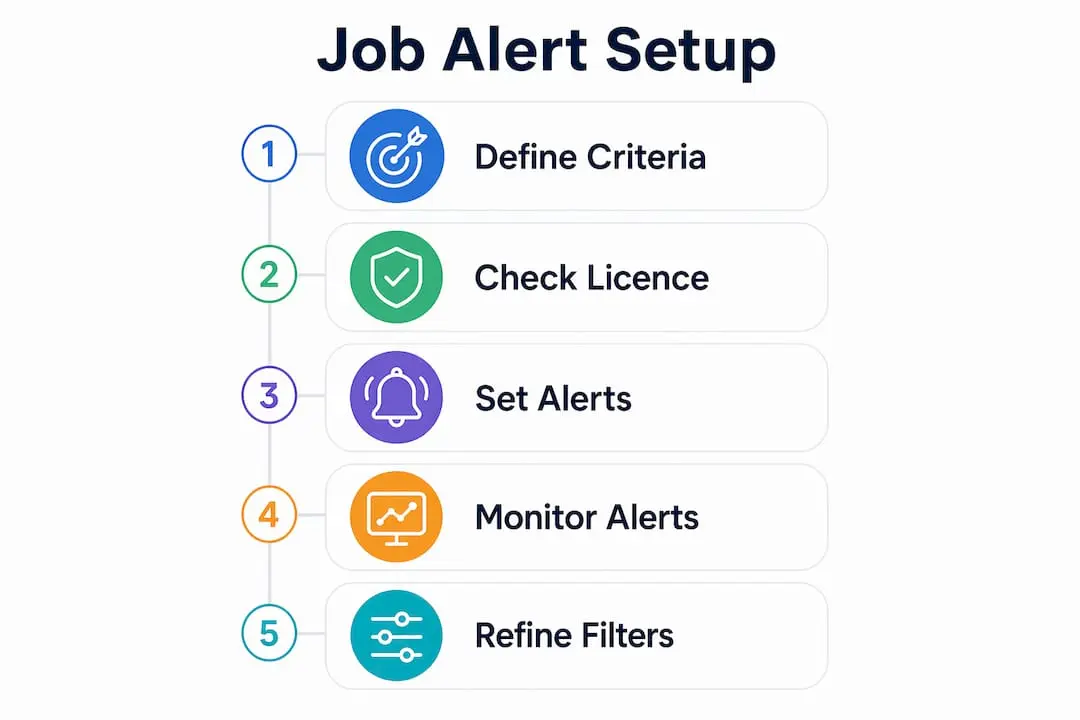
The core principle is iteration. Marking irrelevant listings as “Not interested” on Google Jobs trains the algorithm and improves match quality by 20 to 30% within a few weeks. Treat this as a regular five-minute task rather than an occasional chore.
Here are the most effective ongoing management practices:
- Tune keywords from broad to narrow. Start with “Security Officer” and then tighten to “Security Officer SIA licensed Birmingham” once you have a sense of what the market is producing.
- Use batched delivery to reduce fatigue. Consolidated daily emails reduce decision fatigue compared to receiving numerous instant alerts across multiple platforms. Reserve “As-it-happens” delivery only for your highest-priority role.
- Deduplicate across platforms. The same vacancy frequently appears across LinkedIn, Google Jobs, and specialist boards simultaneously. Keep a simple spreadsheet or note of job reference numbers you have already reviewed to avoid spending time on listings you have already assessed.
- Adjust frequency to match your urgency. If you need a role within four weeks, daily alerts on every platform make sense. If you are employed and passively watching the market, weekly digests are sufficient and far less disruptive.
| Approach | Best used when |
|---|---|
| Instant alerts | Actively job hunting, high-demand roles filling within days |
| Daily digest | Actively searching with some flexibility on timing |
| Weekly digest | Passively monitoring the market while employed |
| Batched platform alerts (Greenhouse) | Managing multiple role families without inbox overload |
Pro Tip: Review and update your alert keywords every four weeks. The security sector’s terminology shifts with new contract types and emerging specialisms such as cyber-physical security. An alert built in January may miss relevant roles by March if the language used in job postings has evolved.
What are the common pitfalls when managing security job alerts?
Even well-configured alerts create problems if you do not understand the quirks of how platforms handle them. Here are the most common issues and how to address them.
-
Duplicate listings across platforms. Multi-source job feeds require deduplication to reduce repeated alerts from different sources. The same vacancy posted by a security contractor may appear on Google Jobs, LinkedIn, and a specialist board on the same day. Do not apply to the same role twice. Check the employer name, location, and job reference number before acting.
-
Alerts for roles outside your licence eligibility. If your SIA Door Supervisor licence is pending, receiving alerts for active Door Supervisor roles creates frustration rather than opportunity. Filter these out or route them to a separate “future roles” folder until your licence clears.
-
Misreading low alert volume as a broken alert. Platforms like Greenhouse batch and exclude republished vacancies by design. Fewer alerts sometimes mean the platform is working correctly, not that your configuration is wrong. Before changing your settings, check whether the platform has a deduplication policy.
-
Relying solely on alert snippets. Alerts act as pointers to original job postings. The snippet in your email may omit shift patterns, specific licence requirements, or location details that affect your eligibility. Always click through to the original posting before deciding whether to apply.
-
Alert overload leading to inbox blindness. Receiving 30 alerts a day across five platforms trains you to ignore them. Set a maximum number of active alerts you will genuinely review each day, and delete or pause anything beyond that threshold.
“Job alerts are discovery tools, not decision tools. The alert gets you to the door. The original job posting tells you whether you should walk through it.”
For more targeted guidance on this, the job alert setup tips specifically for security roles cover additional filtering strategies worth reviewing.
Key takeaways
Creating effective job alerts for UK security roles requires precise criteria, SIA licence awareness, and continuous refinement across multiple platforms.
| Point | Details |
|---|---|
| Define criteria before setup | Know your target job titles, licence status, and preferred locations before creating any alert. |
| Use a two-tier alert strategy | Set separate alerts for roles you can apply for now and roles tied to future licence eligibility. |
| Iterate and refine regularly | Mark irrelevant results as “Not interested” to improve match quality by 20 to 30% over weeks. |
| Batch alerts to reduce fatigue | Use daily or weekly digests rather than instant alerts unless you are urgently job hunting. |
| Verify on the original posting | Always check the source job page for licence requirements, shift patterns, and location details. |
Why most security job seekers set alerts once and never touch them again
The biggest mistake I see is treating job alerts as a set-and-forget tool. You spend ten minutes configuring an alert, and then you expect it to do all the work indefinitely. That is not how it works, and in the security sector specifically, it is a costly assumption.
Your licence status changes. The market shifts. A new contract type emerges in your region. If your alerts are not reflecting those changes, you are either missing relevant roles or wading through irrelevant ones. Neither outcome serves your career.
What actually works is treating your alert configuration as a living document. I would suggest reviewing it every four weeks at minimum. Check what you received, what was useful, and what was noise. Adjust one or two variables at a time so you can see what the change produces. This is the same logic that makes any iterative process work: small, deliberate adjustments over time outperform a single ambitious setup.
The two-tier approach for licence eligibility is something I feel strongly about. Most job seekers either ignore future-eligibility roles entirely or get frustrated receiving alerts for roles they cannot yet take. Separating them into two distinct alert streams solves both problems cleanly. It keeps your active search focused and your forward planning visible without the two getting tangled.
Combining Securityjobsboard with broader platforms like LinkedIn and Google Jobs gives you the widest possible coverage. But the specialist platform should always be your primary source, because the listings there are already filtered for the sector. The broader platforms are supplementary, not the other way around.
— Rob
Start finding the right security roles faster

Securityjobsboard is built specifically for UK security professionals, which means every listing on the platform is already relevant to your sector. You will not wade through unrelated roles or generic postings. The platform is free to use, GDPR-compliant, and affiliated with the BSIA, giving you confidence in the quality of what you find. Set up your personalised security job alerts on Securityjobsboard today and receive notifications tailored to your role preferences, location, and licence status. If you are based in or open to opportunities in Northern Ireland, the dedicated Northern Ireland security jobs listings page is a strong starting point for targeted searching.
FAQ
What is a job alert and how does it work?
A job alert is an automated notification that emails you new job listings matching your chosen keywords and location. You set the criteria once, choose a delivery frequency such as daily or weekly, and the platform sends matching vacancies directly to your inbox.
How do I set up job alerts for security roles on Google Jobs?
Search your target role on Google, open the Jobs panel, and select “Get email alerts.” Start with broad keywords and refine them over two to three weeks by marking irrelevant results as “Not interested” to improve match accuracy by 20 to 30%.
How many job alerts should I set up at once?
Set one alert per distinct role and location combination rather than combining multiple titles into a single broad alert. Google Alerts supports up to 1,000 alerts per user, but practically, five to ten well-defined alerts across two or three platforms is manageable without causing inbox overload.
Why am I receiving fewer alerts than expected?
Platforms such as Greenhouse exclude republished vacancies from alerts by design, which reduces volume but improves quality. Fewer alerts often indicate the platform’s deduplication is working correctly rather than a configuration error.
Should I set alerts for roles I am not yet licensed for?
Yes, but keep them separate from your active search alerts. A two-tier strategy, with one set for roles matching your current licence and another for future-eligibility roles, keeps your immediate search focused while helping you plan your next career step.


